Best Drones for Remote Workers & Office Creators (2026)
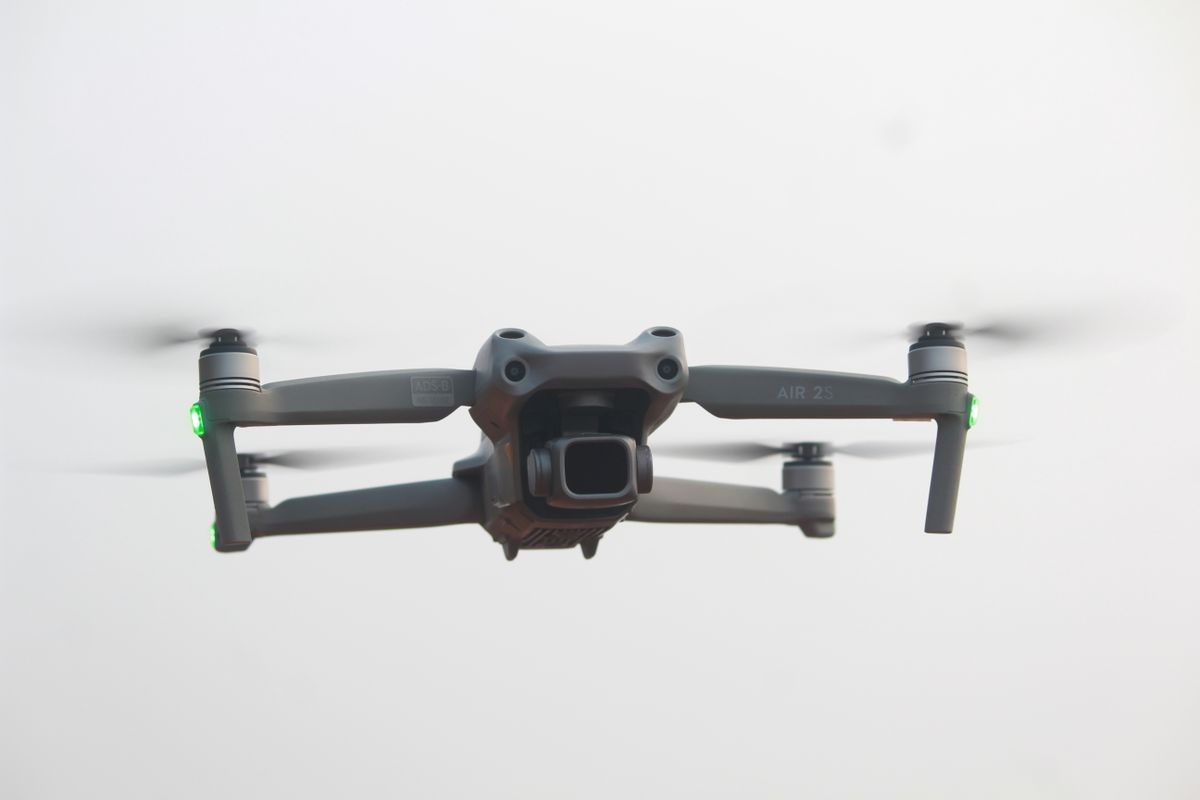
The best drone for remote workers is the DJI Mini 4 Pro ($959): at 249 g it stays under the registration threshold in the US, UK, EU, and Brazil, so you can launch it from a home-office balcony or a co-working rooftop on a break without paperwork, and its 4K/60fps camera with omnidirectional obstacle avoidance covers everything from personal-brand b-roll to YouTube establishing shots. If $959 is more than you want to spend, the DJI Neo ($199, 135 g) and SkyRover S1 ($289, sub-249 g) hit the same no-registration sweet spot for less.
This guide ranks all four picks for remote workers, digital nomads, and independent professionals who want strong footage without an enterprise budget or an enterprise learning curve.
Best Drones for Remote Workers at a Glance
| Drone | Best for | Weight | Price (USD) |
|---|---|---|---|
| DJI Neo | Lowest cost, palm launch on a break | 135 g | $199 |
| DJI Mini 4 Pro | Best all-around remote-work drone | 249 g | $959 |
| DJI Air 3S | Creators who monetize their content | 720 g | $1,099 |
| SkyRover S1 | Budget alternative with DJI Mini-level specs | < 249 g | $289 |
Prices are manufacturer reference figures (USD) and vary with kit and retailer availability.
Best Overall for Remote Work: DJI Mini 4 Pro
The DJI Mini 4 Pro is the best fit for most remote workers because it clears the two things that matter most outside a dedicated studio: weight and regulatory friction. At 249 g, it stays under the registration threshold that applies in the US, UK, EU, and Brazil, so a quick lunch-break flight from a balcony or a park near a co-working space does not require the paperwork a heavier drone would.
It backs that portability with a 1/1.3" sensor, 4K/60fps video, and omnidirectional obstacle avoidance, which matters for anyone launching it solo without a second person spotting for hazards. Full breakdown in our DJI Mini 4 Pro review.
Lowest Cost and Fastest to Launch: DJI Neo
For remote workers who just want a quick establishing shot or a talking-head-plus-drone intro for a video without carrying much gear, the DJI Neo ($199, 135 g) is the easiest entry point. It launches from the palm of your hand with no controller required for basic shots, which fits the "grab it during a five-minute break" use case better than any other drone on this list.
The trade-off is a smaller 1/2" sensor and less manual control than the Mini 4 Pro, so treat it as the pick for convenience and price, not for image quality that needs to hold up in a client deliverable.
For Creators Who Monetize Their Work: DJI Air 3S
If drone footage is part of what you sell - a content creator with sponsors, a freelancer producing paid video work from the road - the DJI Air 3S ($1,099, 720 g) is worth the extra weight. Its 1-inch, 50 MP main sensor and 3x tele camera deliver noticeably cleaner low-light and dynamic-range performance than the Mini line, and 46 minutes of flight time means fewer battery swaps mid-shoot.
The trade-off is that 720 g pushes it into a heavier regulatory category in most countries, so factor in registration requirements before you rely on it for spontaneous, no-planning flights. Full specs in our DJI Air 3S guide.
Budget Alternative: SkyRover S1
The SkyRover S1 ($289, sub-249 g) targets almost the same spec sheet as the Mini 4 Pro - a Sony 1/2" sensor, 3-axis gimbal, and 4K/60fps - at less than a third of the price. For a remote worker testing whether drone footage is even worth adding to their content mix before committing to a pricier body, it is the lowest-risk way to find out. See the full SkyRover S1 specs for what you gain and give up versus the Mini 4 Pro.
What About Specific Professions?
A handful of niche searches ask about drones for specific jobs - engineers, chefs, baristas - and the honest answer is the same drone works for all of them, because the use case is identical: short, occasional flights to document work or a space, not sustained professional operation.
- Engineers and site visitors who want to document a job site or a build's progress over time get the most value from the Mini 4 Pro's obstacle avoidance, since job sites tend to have more overhead hazards (wires, scaffolding, structures) than open parks.
- Chefs, baristas, and hospitality workers filming behind-the-scenes or ambiance content for social media rarely need more than the DJI Neo - the shots are short, close, and don't demand the dynamic range a 1-inch sensor provides.
- Athletes and fitness creators documenting training sessions benefit from ActiveTrack-style subject tracking, which the Mini 4 Pro and Air 3S both support; the Neo's tracking is more limited.
If your work genuinely requires industrial-grade payloads - thermal cameras, RTK mapping, multispectral sensors - that's a different category entirely; see our guide to the best professional drones instead. For a broader, non-work-specific ranking across every price tier, check the best drones of 2026.
Do You Actually Need to Register It?
For personal, non-commercial use, a sub-249 g drone (the Neo, Mini 4 Pro, and SkyRover S1 all qualify) is exempt from FAA registration in the US if flown recreationally. The moment drone footage becomes part of paid work - sponsored content, client deliverables, anything tied to compensation - FAA Part 107 certification applies regardless of the drone's weight. Most remote workers filming personal-brand content for platforms they don't get paid directly for stay in the recreational category, but check the FAA's current rules if compensation is involved.
FAQ
Sources: FAA - Getting Started | DJI - Official Store
More like this
Related Articles
Drone Remote ID Explained: Do You Need One in 2026?
Remote ID is a digital license plate for drones. See who needs it in the US, UK and EU, the 3 ways to comply, module costs and the…
Best Cheap Drones With Camera in 2026: 6 Picks Under $500
Looking for a cheap drone with a good camera? We compare 6 budget picks from $149 to $450 by real flight time, gimbal, rules and h…
How High Can a Drone Legally Fly? Limits by Country (2026)
The FAA caps drones at 400 feet; the EU, UK and Australia cap them at 120 meters. See the exact legal limit for your country and w…